16 Best Notion Alternatives in 2026 — Free & Paid
Looking for a better Notion alternative in 2026? This guide compares 16 free and paid tools for docs, wikis, projects, PKM, and AI-powered knowledge work.
Notion is still one of the most flexible workspaces on the market, but by 2026 many teams and individual users want something more specific: faster performance, better offline support, stronger AI search, simpler team onboarding, more opinionated project management, or deeper control over privacy and data ownership.
That is why the “best Notion alternative” is no longer a one-size-fits-all answer. Some tools are better for creators and knowledge businesses. Some are better for engineering execution. Others are built for visual thinking, local-first PKM, or company wikis that non-technical teams can actually keep tidy.
This guide compares 16 of the best Notion alternatives in 2026, including both free and paid options. We focused on tools that solve real gaps: knowledge management, project execution, visual planning, AI-assisted work, collaboration, and privacy.
Why people are replacing Notion in 2026
The main reasons are consistent across teams and solo users:
- Performance at scale: Large workspaces, heavy databases, and long documents can still feel sluggish.
- Offline and local-first needs: Many users want dependable access without relying on constant cloud sync.
- Pricing pressure: AI, admin controls, and team collaboration costs add up quickly.
- Workflow specialization: PM teams, creative teams, and researchers often want purpose-built tools instead of one general workspace.
- Knowledge quality: Many companies want cleaner internal docs, verified answers, and easier search across growing knowledge bases.
If any of those are your bottlenecks, the tools below are worth shortlisting.
16 best Notion alternatives in 2026
1) Buildin — Best overall for knowledge, collaboration, and monetization
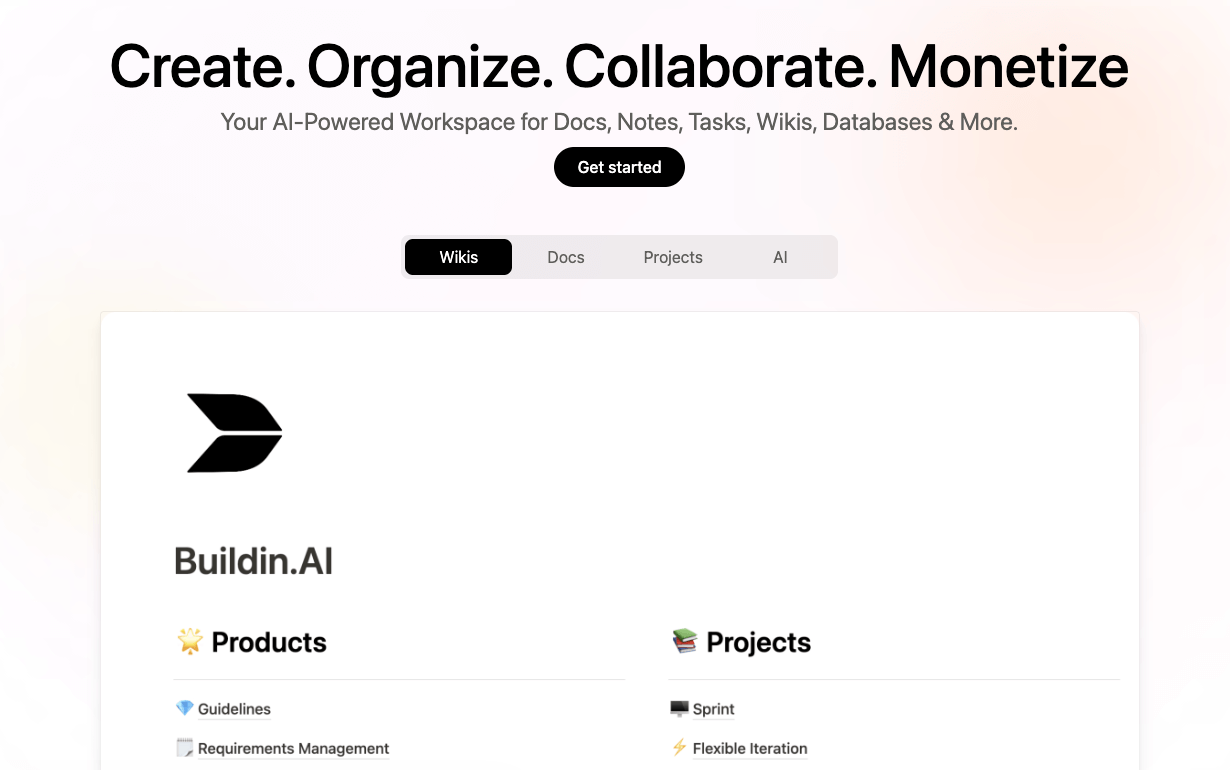
Buildin is the most balanced Notion alternative we tested in 2026. It keeps the familiar doc-plus-database workflow that makes Notion easy to adopt, but it adds faster collaboration, AI knowledge retrieval, creator monetization, and private deployment options that matter for both teams and knowledge entrepreneurs.
Best for
- Teams that want one workspace for docs, databases, collaboration, and AI.
- Creators who want to turn templates, tutorials, or knowledge products into paid subscriptions.
- Companies that need privacy-sensitive deployment options.
Why choose it
- Strong all-in-one balance instead of excelling in only one niche.
- Native monetization is a real differentiator for creators.
- Smooth migration from Notion via direct import.
Watch-outs
- Template ecosystem is still smaller than Notion's.
- Advanced AI usage is best on paid plans.
2) Coda — Best for operational teams and doc-driven apps
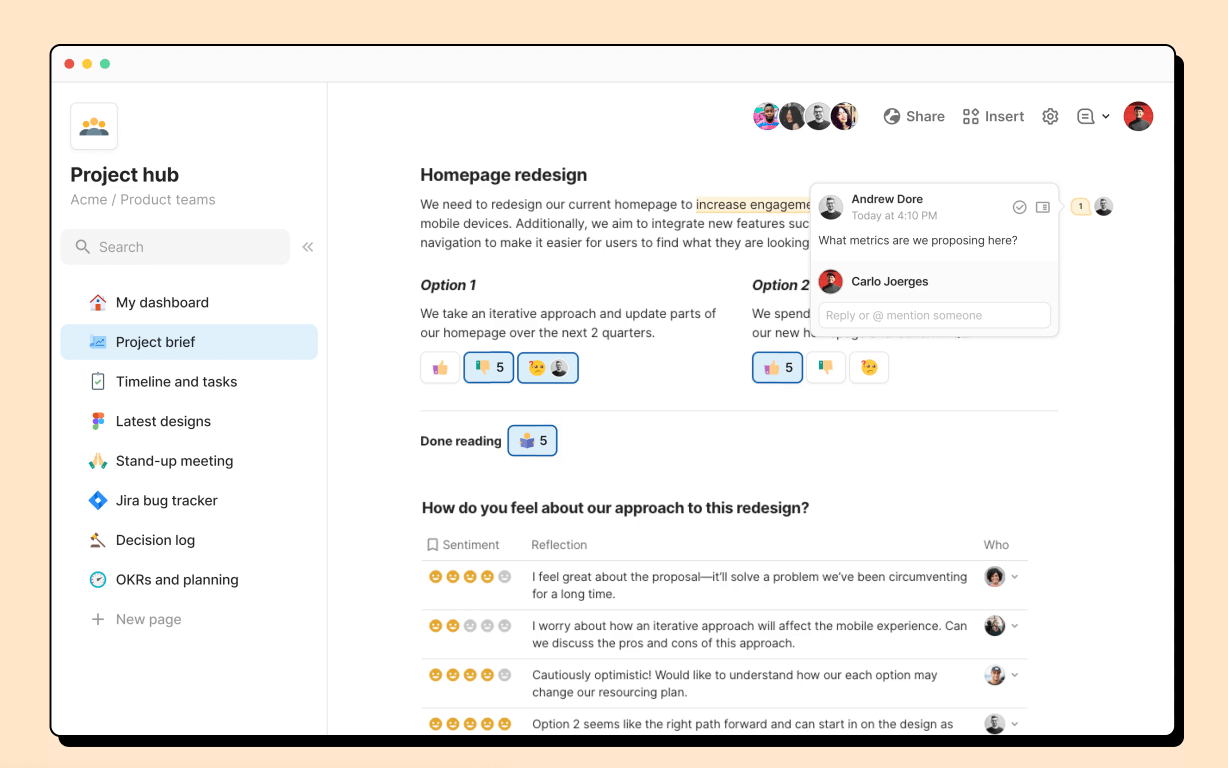
Coda remains one of the strongest options if your team wants documents that behave like lightweight internal apps. Its tables, formulas, Packs, and automations make it more structured than Notion for ops, finance, and process-heavy teams.
Best for
- Operations, finance, and GTM teams.
- Users building dashboards, workflows, and cross-doc automations.
Why choose it
- More powerful formula and data behavior than Notion in many business use cases.
- Large Packs ecosystem for connected workflows.
- Strong fit for “docs as apps.”
Watch-outs
- Learning curve is steeper than Notion.
- Can feel heavy if you mainly need writing and simple wiki pages.
3) Monday.com — Best for visual project execution
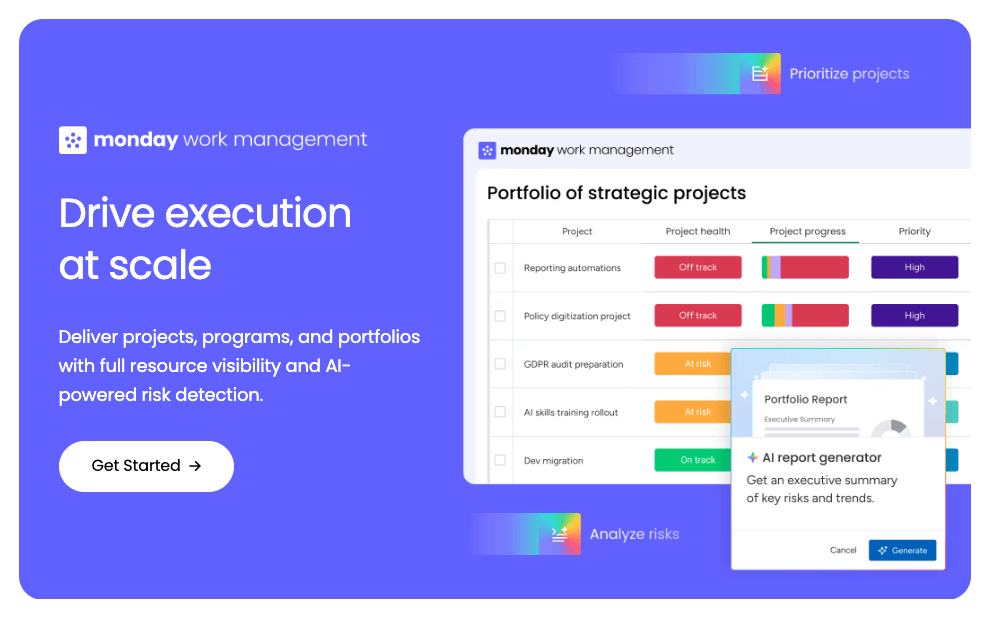
Monday.com is a better fit than Notion when your core problem is execution rather than documentation. Boards, timelines, workload views, automations, and reporting make it much more opinionated for teams running campaigns, launches, and multi-step projects.
Best for
- Marketing, PMO, operations, and delivery teams.
- Organizations with dependencies, capacity planning, and cross-functional workflows.
Why choose it
- Rich visual project views out of the box.
- Strong no-code automation and status reporting.
- Easier than forcing Notion into a PM system it was not designed to be.
Watch-outs
- Less pleasant than Notion for deep documentation.
- Seat-based pricing can rise quickly.
4) ProProfs Knowledge Base — Best for customer support and internal knowledge bases
ProProfs Knowledge Base is a strong Notion alternative for teams that have outgrown a personal workspace. It provides employees with a searchable internal wiki and customers with a public help center, both from the same account. AI handles the parts that usually take the most upkeep: drafting articles, understanding what people are actually searching for, and flagging outdated content before it misleads anyone.

Best for
- Support, HR, and ops teams that need a structured, searchable internal wiki.
- Teams that also need to publish a public help center or FAQ, not just an internal doc space.
- Companies that want role-based permissions separating internal and external content.
Why choose it
- AI-powered writing, content suggestions, and intent-aware search.
- AI Insights & Reports flag failed searches, broken links, and content gaps automatically.
- Runs a private internal wiki and a public help center from one account.
- Integrates with ProProfs Help Desk, Live Chat, and Survey Maker.
- Free forever plan with no credit card required.
Watch-outs
- No on-premise deployment option.
- No dark mode, which may matter to some enterprise buyers.
5) AFFiNE — Best open-source Notion alternative
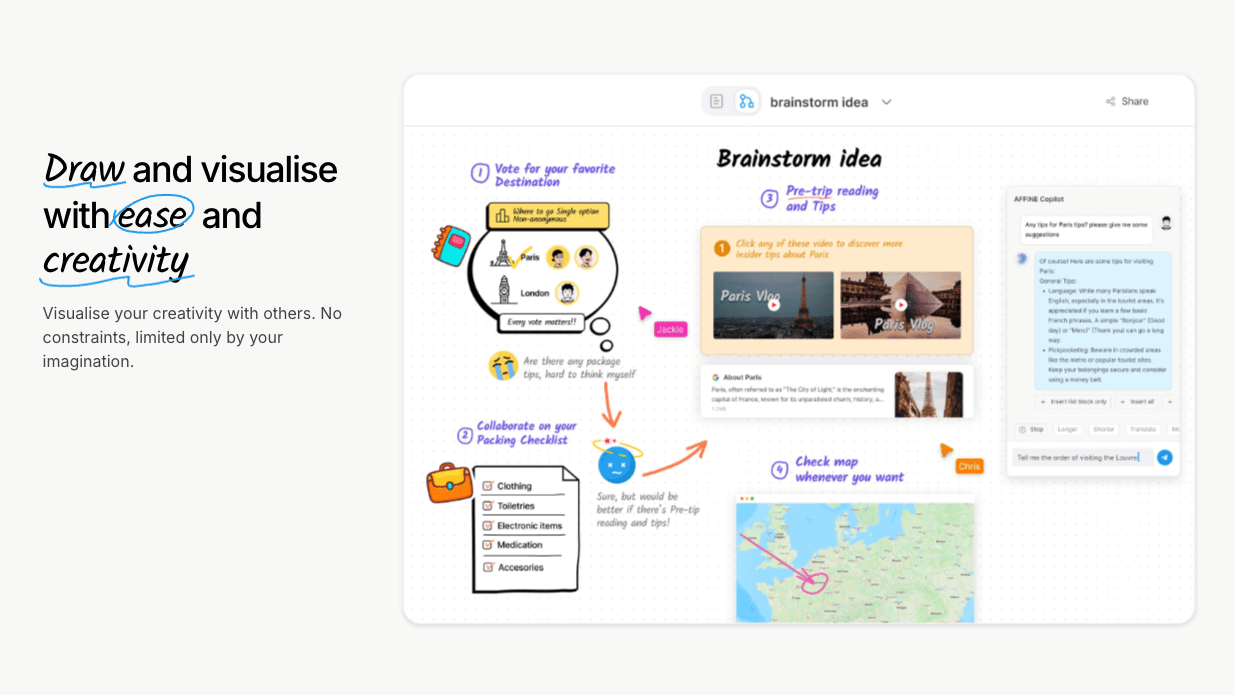
AFFiNE is one of the clearest choices for users who want an open-source, local-first workspace that blends documents with whiteboards. It feels like a modern answer to people who want Notion-style editing without giving up control.
Best for
- Privacy-minded teams and individuals.
- Users who want docs and canvases in the same tool.
- Companies exploring self-hosted or transparent infrastructure.
Why choose it
- Open-source foundation.
- Local-first workflow with whiteboard flexibility.
- Strong direction for users who want more control than Notion offers.
Watch-outs
- Ecosystem is still less mature than Notion's.
- Some teams may need more polish before full rollout.
6) Linear — Best for product and engineering teams
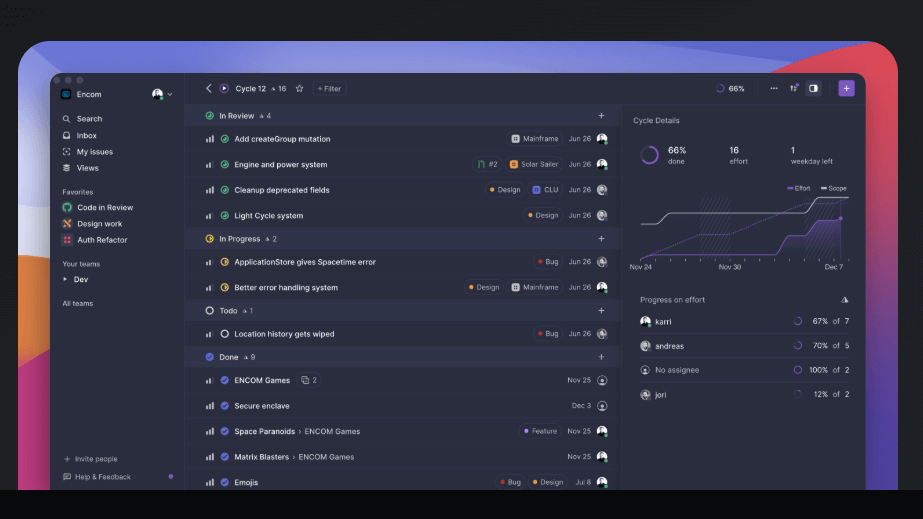
Linear is not trying to be a general workspace, and that is exactly why it is so effective. For engineering, product, and design teams, it is often a better replacement for the “project side” of Notion than a wiki replacement.
Best for
- Product, engineering, and design orgs.
- Teams that care about speed, triage quality, and roadmap discipline.
Why choose it
- Excellent keyboard-first workflow.
- Deep software-delivery integrations.
- Faster and more focused than using Notion as an issue tracker.
Watch-outs
- Weak substitute for long-form documentation.
- Overly specialized for non-product teams.
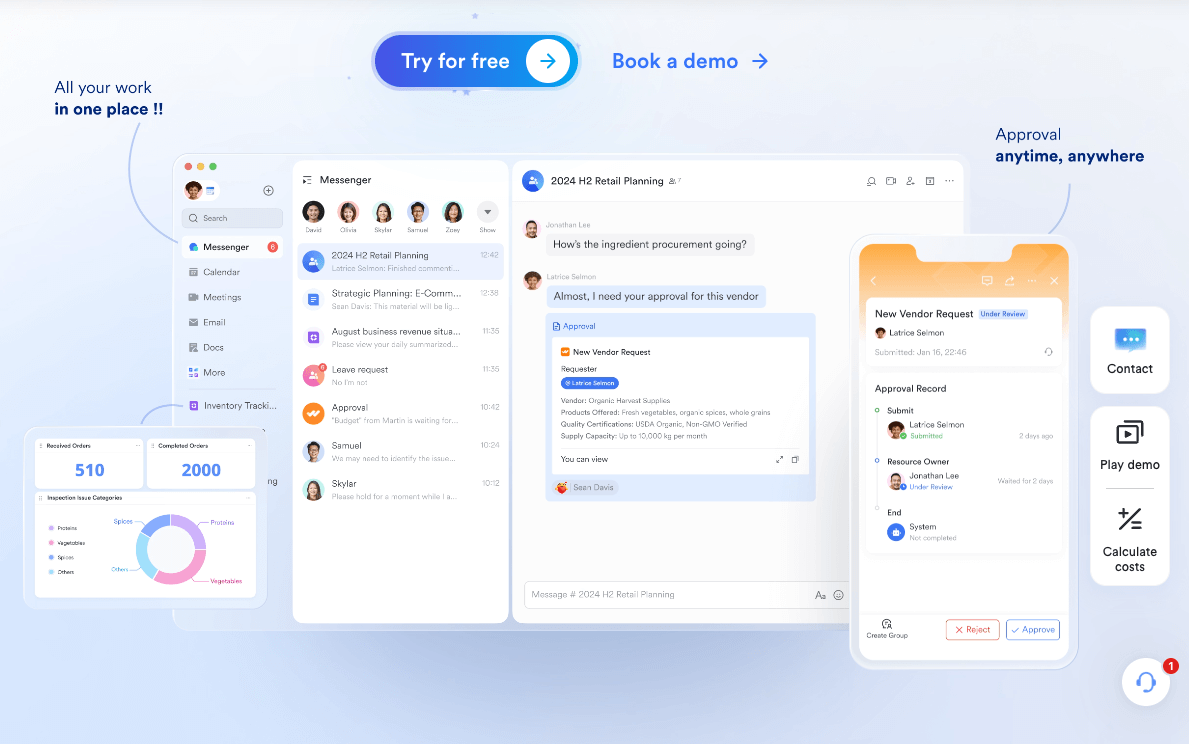
7) Lark — Best all-in-one suite for communication-heavy teams
Lark combines chat, meetings, docs, spreadsheets, and Base into one environment. If your team spends too much time hopping between communication and execution tools, Lark can feel much more unified than a Notion-centered stack.
Best for
- Distributed teams with lots of meetings and internal coordination.
- Companies that want docs, chat, and structured work in one suite.
Why choose it
- Strong communications layer that Notion does not offer.
- Better fit for multilingual and mobile-heavy teams.
- Base gives structured workflow options without leaving the suite.
Watch-outs
- More complex to standardize than a pure docs tool.
- Western-market ecosystem is still less dominant than Microsoft or Google.
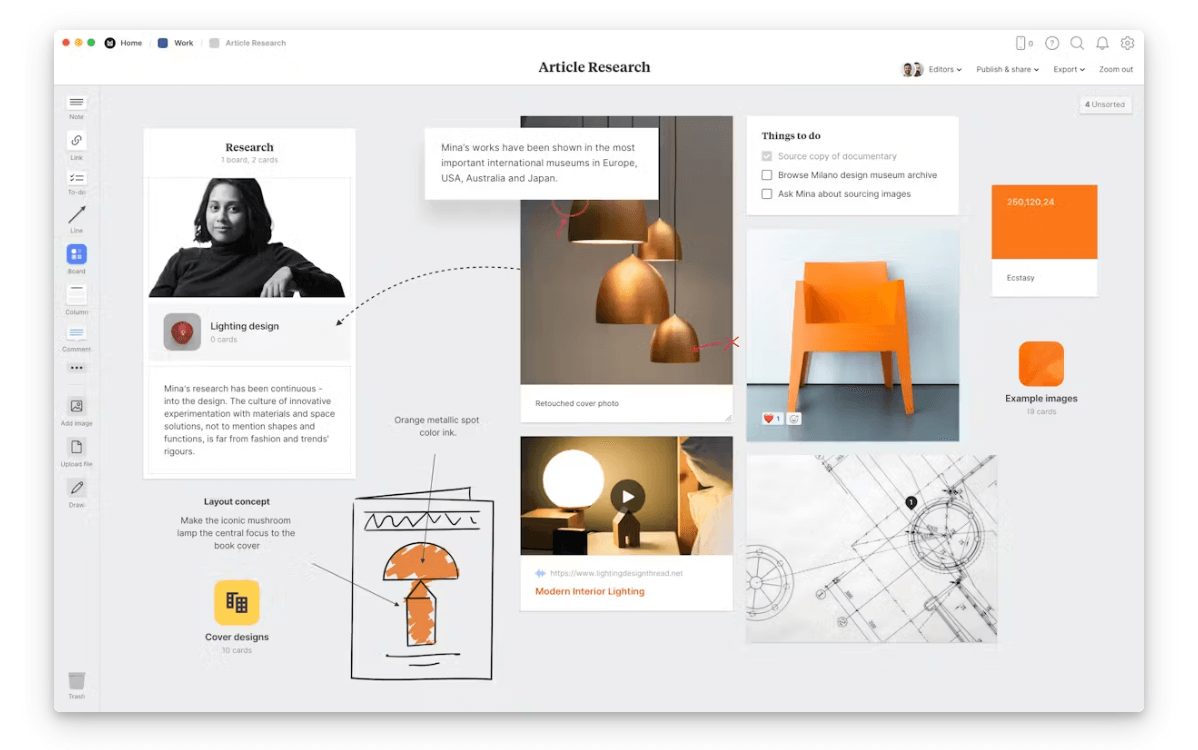
8) Milanote — Best for creative planning and moodboards
Milanote is ideal when your work starts with references, layouts, rough ideas, and visual organization. It is not a strong Notion replacement for databases, but it is a much better workspace for creative planning.
Best for
- Design, brand, content, video, and photography teams.
- Visual planners who hate rigid document structures.
Why choose it
- Excellent canvas-style planning.
- Great for briefs, inspiration boards, and feedback loops.
- Easier than forcing Notion into a creative whiteboard role.
Watch-outs
- Weak on structured data and advanced automation.
- Not ideal as a company-wide source of truth.
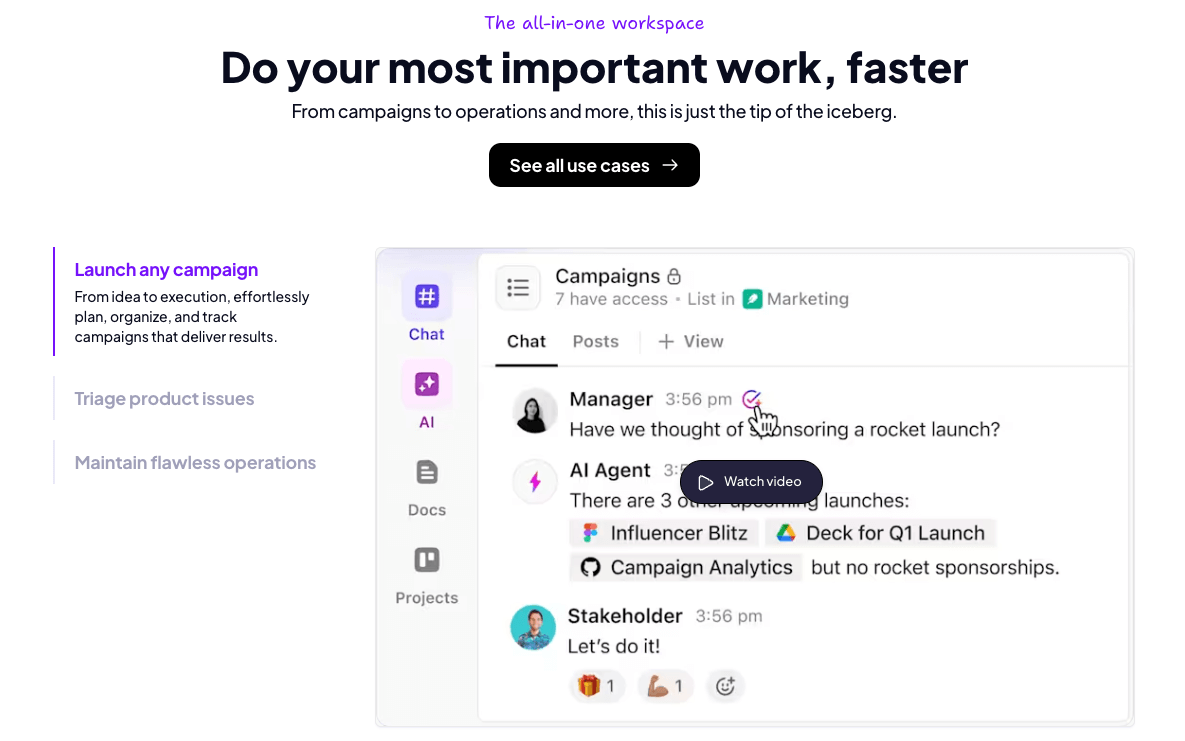
9) ClickUp — Best for customizable work management
ClickUp is one of the closest “all-in-one” alternatives to Notion for teams that care more about project execution than elegant writing. It combines tasks, docs, whiteboards, dashboards, and automations in a highly configurable system.
Best for
- Project-driven teams consolidating multiple work tools.
- Managers who want dashboards, reporting, and process control.
Why choose it
- Deep PM functionality across many team types.
- Strong automations and reporting.
- More robust than Notion when work tracking is central.
Watch-outs
- Interface can feel crowded.
- Adoption can suffer if you over-customize from day one.
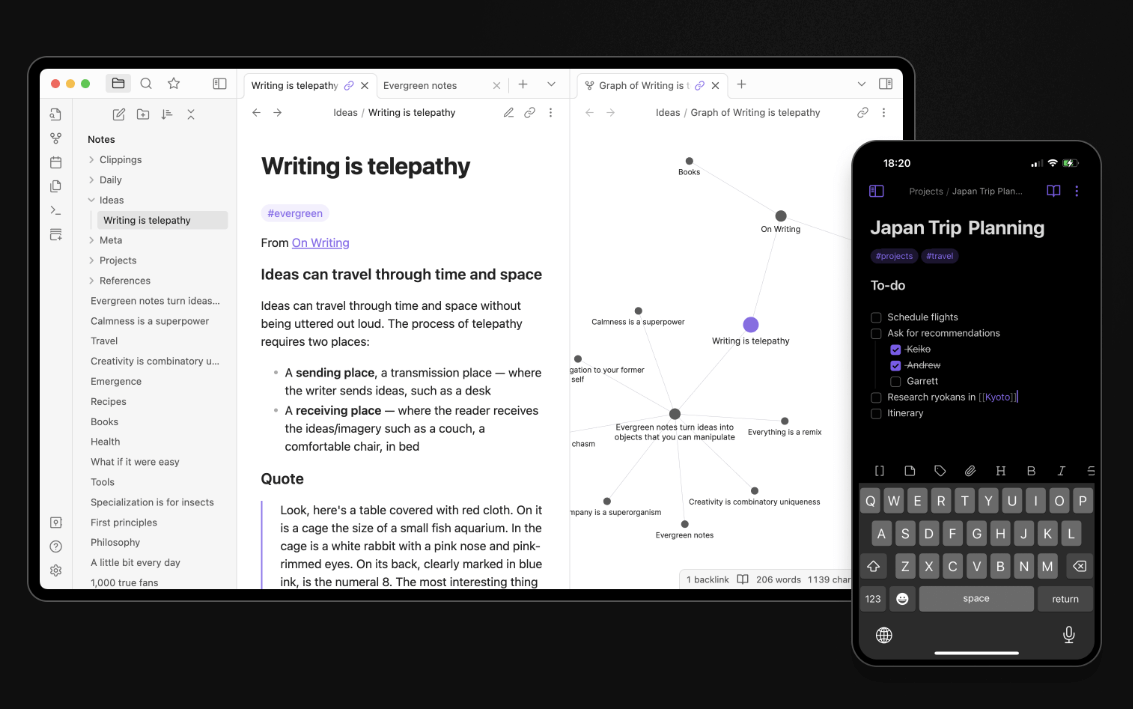
10) Obsidian — Best for personal knowledge management and local files
Obsidian remains one of the best Notion alternatives for individual thinkers who care about long-term ownership, local Markdown files, and extensibility. It is not the easiest team workspace, but it is one of the strongest personal PKM systems available.
Best for
- Writers, researchers, students, and privacy-minded independents.
- Users who want local-first notes and a graph-style knowledge system.
Why choose it
- Excellent data ownership.
- Massive plugin ecosystem.
- Strong long-term durability compared with cloud-only workspaces.
Watch-outs
- Real-time collaboration is limited.
- Setup quality depends heavily on your workflow discipline.
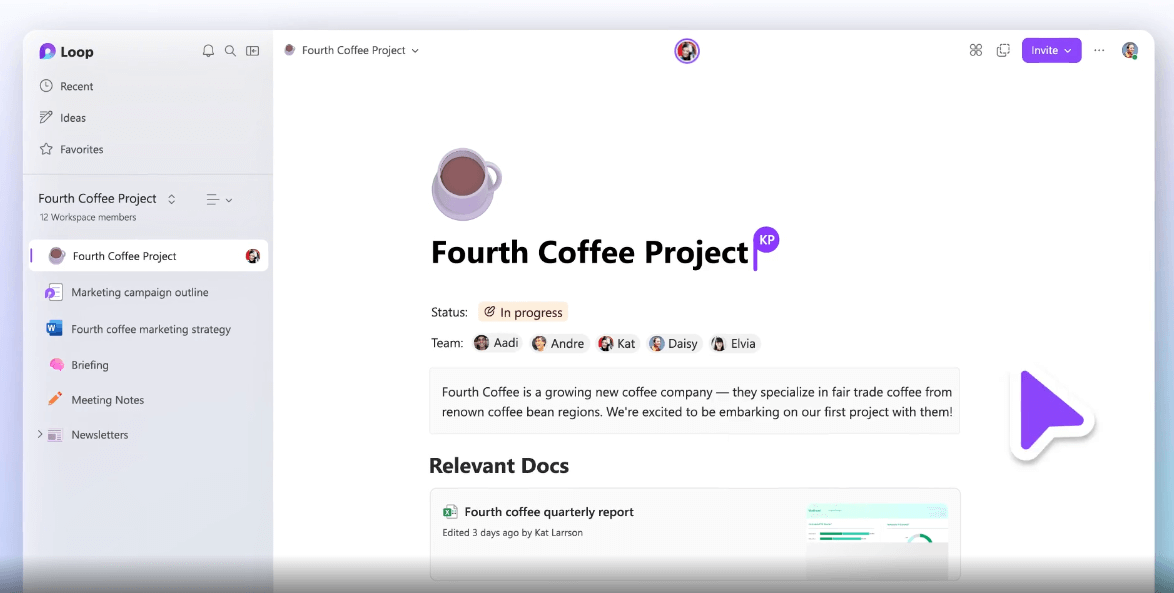
11) Microsoft Loop — Best for Microsoft 365 organizations
Microsoft Loop is the most logical Notion alternative if your company already lives inside Teams, Outlook, and the broader Microsoft stack. Its biggest advantage is not feature breadth on its own, but how naturally it fits into existing enterprise workflows.
Best for
- Companies deeply committed to Microsoft 365.
- Teams that want live components across meetings, chat, and docs.
Why choose it
- Native M365 integration.
- Useful for collaborative planning without leaving Microsoft apps.
- Easy shortlist candidate for Microsoft-first IT environments.
Watch-outs
- Less compelling outside the Microsoft ecosystem.
- Still not as flexible as Notion for custom knowledge structures.
12) Slite — Best for internal documentation and AI answers
Slite is an AI-powered knowledge base designed to keep company documentation cleaner, more verified, and easier to search. It is a great choice for teams that need a strong internal wiki more than a fully flexible workspace.

Best for
- HR, operations, support, and internal enablement teams.
- Companies that want clearer internal documentation with lower maintenance overhead.
Why choose it
- Strong “single source of truth” positioning.
- AI-powered search and question answering across trusted docs.
- Better information hygiene than many general-purpose tools.
Watch-outs
- Less flexible than Notion for custom databases and mixed workflows.
- Best when your team is willing to standardize documentation practices.
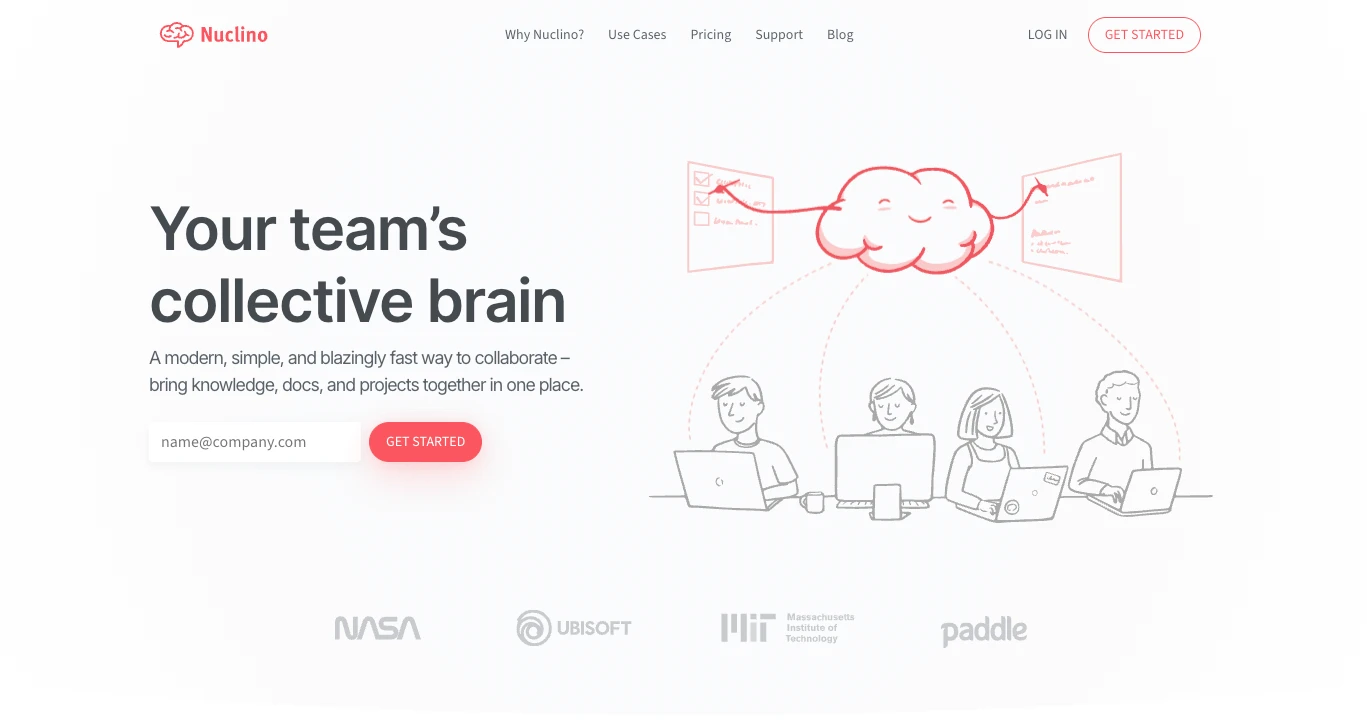
13) Nuclino — Best for simple, fast team wikis
Nuclino keeps winning on simplicity. If your team tried Notion and found it too open-ended, Nuclino offers a much faster, cleaner wiki-and-docs experience with far less setup burden.
Best for
- Teams that want a lightweight wiki without heavy configuration.
- Startups that value speed and clarity over maximum flexibility.
Why choose it
- Very low learning curve.
- Fast editing and navigation.
- Better than Notion for teams that mainly need “clean docs that stay usable.”
Watch-outs
- Not built for advanced databases or complex automations.
- Fewer power-user capabilities than Notion or Coda.
14) Anytype — Best for privacy-first, offline-first collaboration
Anytype stands out because it is built around privacy, offline use, local encryption, and peer-to-peer sync. It is one of the strongest options for users who want a Notion-like object model without surrendering ownership and control.
Best for
- Privacy-focused individuals and small teams.
- Users who want object-based organization with offline reliability.
Why choose it
- Strong data sovereignty story.
- Works offline without losing usefulness.
- Object, template, graph, and database views offer a flexible PKM model.
Watch-outs
- Collaboration model is still different from mainstream cloud workspaces.
- Some teams may find the object-centric approach unfamiliar at first.
15) Capacities — Best for connected personal knowledge
Capacities is built around “objects” instead of folders, which makes it especially appealing for people who want a more modern personal knowledge system. Daily notes, backlinks, and linked objects make it a compelling bridge between traditional note apps and heavier PKM systems.
Best for
- Knowledge workers building a personal research or thinking system.
- Users who want more structure than simple notes but less setup than Obsidian plugins.
Why choose it
- Object-based knowledge model is intuitive once it clicks.
- Great for connecting people, projects, notes, and sources.
- Friendly onboarding compared with some advanced PKM tools.
Watch-outs
- Less suitable as a universal company workspace.
- Power users may still want deeper customization in some workflows.
16) Heptabase — Best for visual research and deep thinking
Heptabase is one of the strongest Notion alternatives for users who think spatially. Whiteboards, cards, PDF annotation, daily journals, and research workflows make it especially effective for students, founders, and researchers synthesizing complex material.
Best for
- Researchers, students, and strategic thinkers.
- Users who want visual organization rather than folder-heavy note systems.
Why choose it
- Exceptional fit for deep reading and synthesis.
- Whiteboards and cards support real conceptual mapping.
- More natural than Notion for high-context research work.
Watch-outs
- Not the best choice for broad company operations.
- More specialized than general-purpose collaboration suites.
Quick comparison by use case
- Best overall: Buildin
- Best for operations and internal tools: Coda
- Best for project management: Monday.com or ClickUp
- Best open-source choice: AFFiNE
- Best for engineering teams: Linear
- Best for company wikis: Slite or Nuclino
- Best for creative planning: Milanote
- Best for privacy and local-first work: Obsidian or Anytype
- Best for connected personal knowledge: Capacities
- Best for visual research: Heptabase
How to migrate from Notion to a new tool
- Export your current docs and databases from Notion first.
- Decide whether your main need is docs, projects, PKM, or privacy.
- Rebuild one core workflow before migrating everything.
- Audit permissions, templates, and automations early.
- Run a small pilot team before full rollout.
- Keep an archive of your Notion workspace until the new system is stable.
FAQ
Which Notion alternatives are free?
AFFiNE, Obsidian, and Anytype are three of the best free options to test first. Their strengths differ, but all offer strong value without immediate paid commitment.
What is the best Notion alternative for teams?
For most teams, Buildin is the strongest all-around option. If your team is ops-heavy, Coda is excellent. If project execution dominates, Monday.com or ClickUp will usually fit better.
What is the best Notion alternative for personal use?
Obsidian, Capacities, and Heptabase are especially strong for personal knowledge management, depending on whether you prefer local Markdown, connected objects, or visual thinking.
Which Notion alternative is best for privacy?
Anytype, Obsidian, and AFFiNE stand out for users who care most about local-first workflows, data ownership, and open or more transparent architectures.
Final verdict
The best Notion alternative in 2026 depends on what you wanted Notion to be.
If you want the closest all-around upgrade for teams and creators, start with Buildin. If you want stronger data workflows, look at Coda. If you want true project execution, choose Monday.com or ClickUp. If you want privacy and local ownership, shortlist AFFiNE, Obsidian, and Anytype. And if your work is deeply visual or research-heavy, Heptabase is one of the most compelling tools available.

Buildin Team
Shares the latest Buildin updates, product releases, and usage guides, along with practical insights into knowledge management, content creation, team collaboration, and the evolution of AI. Content is based on real product development and user feedback, helping teams work more efficiently with Buildin.