10 Best Monday.com Alternatives in 2026 (Free and Paid)
Looking for the best Monday.com alternatives in 2026? Compare Buildin, ClickUp, Linear, Airtable, Asana, Trello, and more for project management, team collaboration, documentation, and cost control.
Monday.com still looks great in a demo. Its colorful dashboards, rich views, and polished interface can make any workflow feel instantly more organized. But after long-term use, many teams begin to notice the same limitations: the platform gets expensive quickly, deep documentation remains weak, and knowledge management often lives somewhere else entirely.
That disconnect matters more in 2026 than it used to. Modern teams do not just need task boards. They need a digital workspace where project execution, documentation, collaboration, and internal knowledge can support one another. When those layers are split across too many tools, the operational overhead grows fast.
If your team is rethinking Monday.com and looking for something more flexible, more focused, or simply better aligned with the way you actually work, this guide will save you time. Below are 10 of the best Monday.com alternatives in 2026, from all-in-one collaboration hubs to leaner specialist tools for product, operations, and research-driven teams.
1. Buildin
If Monday.com feels like a task board when what you really need is a team brain, Buildin is the strongest alternative on the market. It is designed for teams that want to run projects and build durable knowledge systems in the same place instead of splitting work between multiple products.
Buildin combines notes, databases, mind maps, AI-powered knowledge retrieval, and content sharing in one workspace. That makes it more than a project management tool. It becomes a collaboration infrastructure that supports execution, documentation, and even monetization.
Core Features
- Flexible pages and databases: Buildin uses a modular page system with powerful databases that support Kanban, list, calendar, and other views. Teams can manage everything from simple tasks to complex multi-step workflows without losing context.
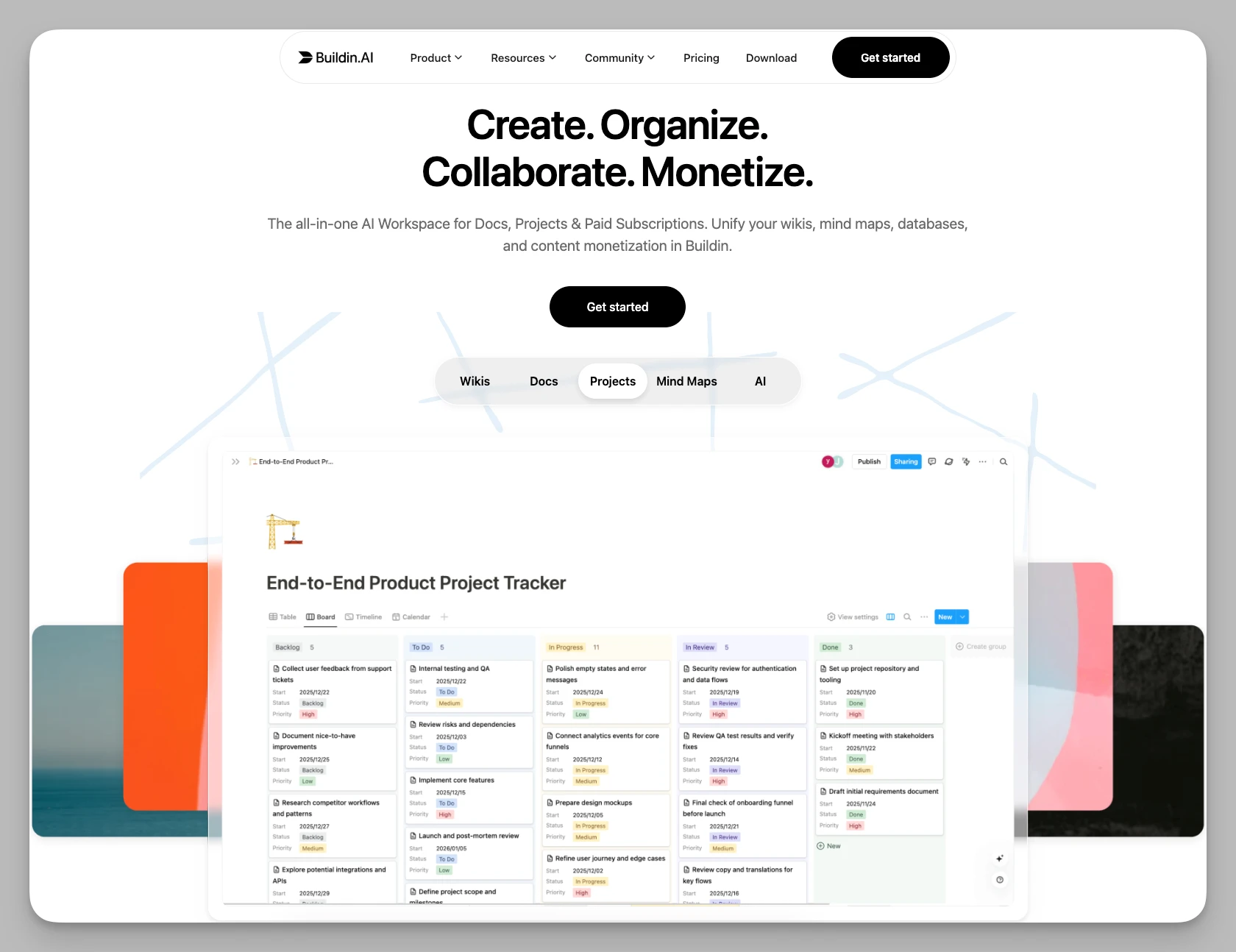
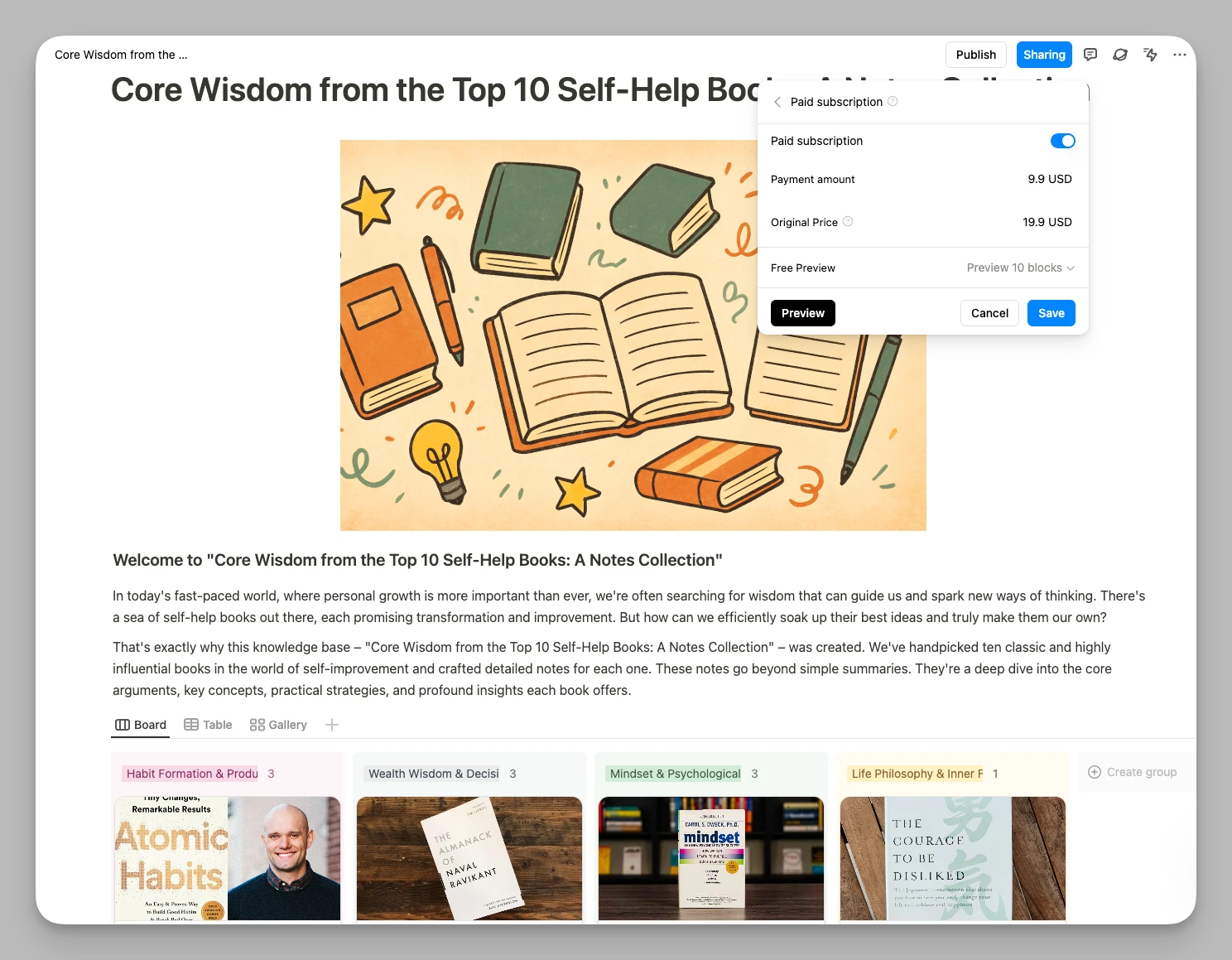
- Native content monetization: Teams and creators can turn project templates, internal frameworks, or educational materials into paid resources directly inside the platform, without third-party storefronts.
- AI-driven knowledge base: Buildin AI can search workspace content, summarize materials, and connect insights across notes, which is especially useful when project knowledge is spread across many documents.
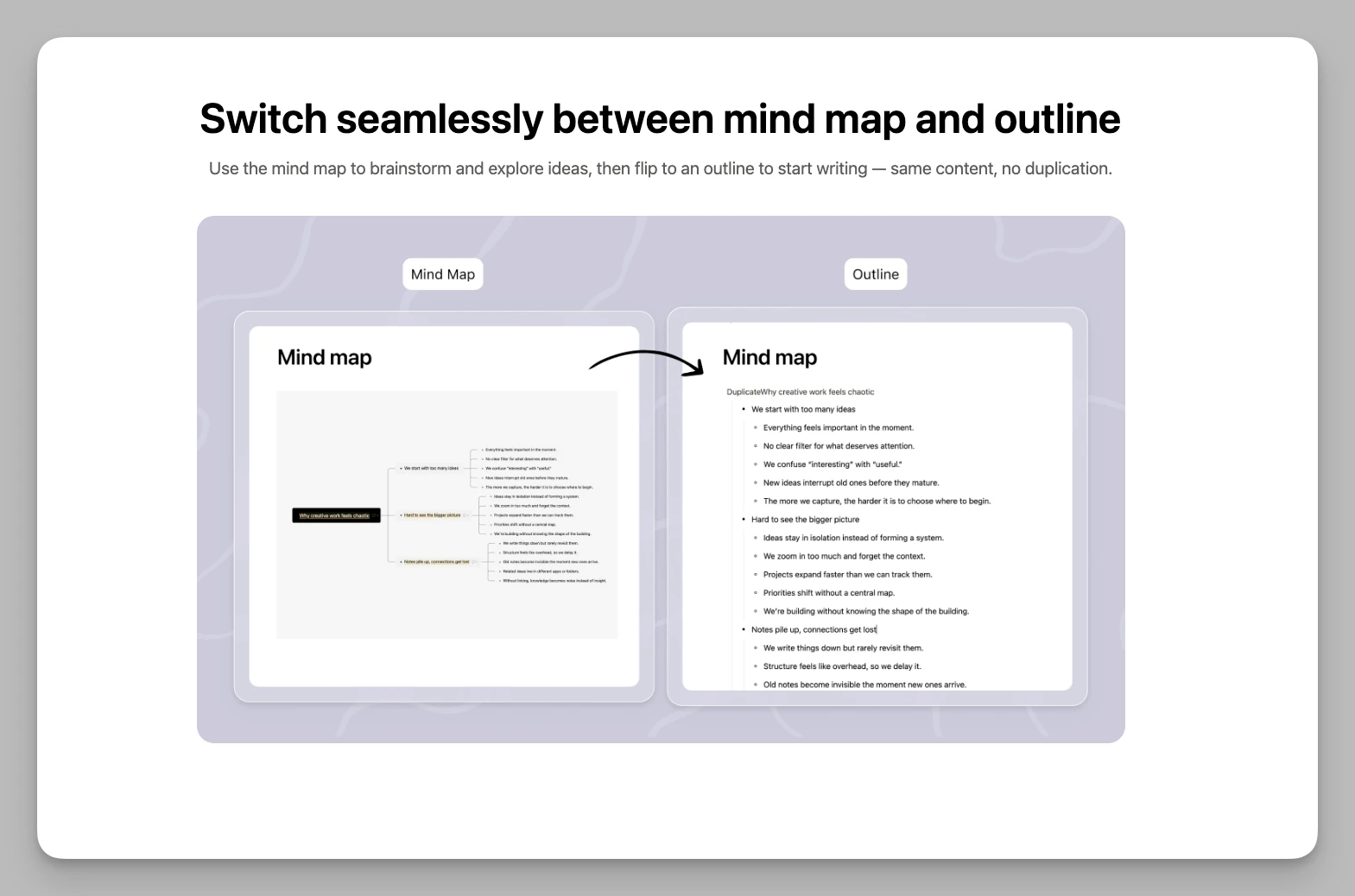
- Built-in mind maps: Teams can switch into a visual thinking mode inside documents and organize ideas without installing plugins.
- One-click migration: Buildin supports imports from mainstream note-taking and collaboration tools, which lowers the switching cost for growing teams.
Pros
- True full-stack collaboration: Notes, project data, cloud storage logic, and AI knowledge workflows live together in one system.
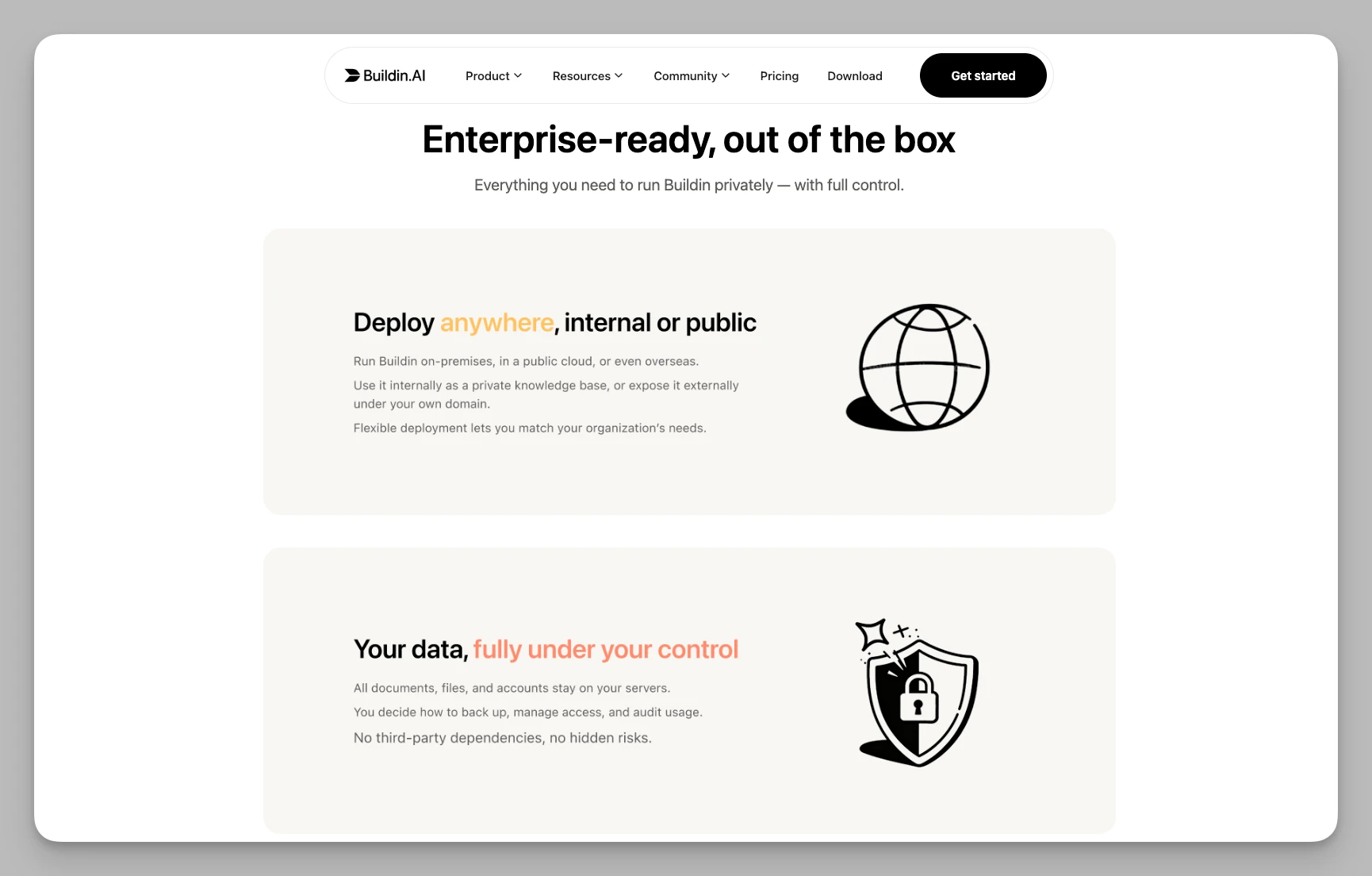
- Private deployment options: Teams with higher security or compliance requirements can keep data on their own infrastructure.
- Clean and responsive experience: Compared with bloated enterprise SaaS tools, Buildin feels faster and more cohesive.
Pricing: Free plan available. Plus is $10/user/month, and Business is $15/user/month.
2. ClickUp
ClickUp remains one of the most feature-dense productivity platforms available. Its promise has always been simple: replace as many work tools as possible with one highly configurable system. For teams that felt constrained by Monday.com and want even deeper control, ClickUp is still a major contender in 2026.
Core Features
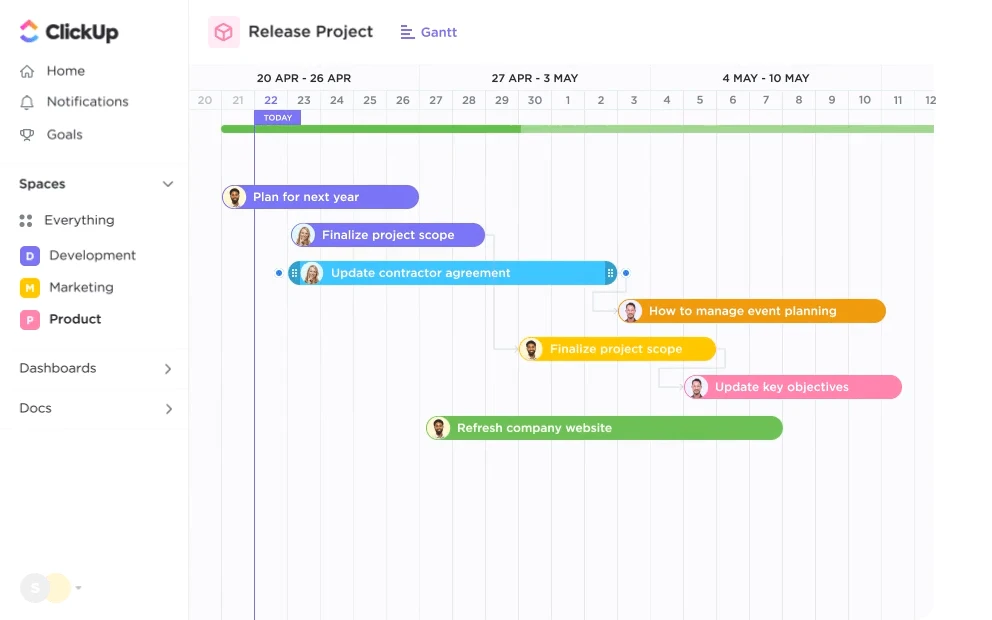
- All-in-one view system: In addition to standard Kanban and Gantt views, ClickUp offers whiteboards, maps, dashboards, and many custom perspectives on the same work.
- Deep customization hierarchy: ClickUp's structure can go from workspace to folder, list, task, and deeply nested subtasks, which suits teams managing highly complex project trees.
- Native time and resource management: Built-in time tracking, workload forecasts, and staffing views help managers understand capacity at a glance.
- ClickUp AI integration: AI can pull action items from comments and support task creation directly within the workspace.
Pros
- Extreme feature density: Almost any operational workflow can be modeled in the platform.
- Strong value for money: The free plan is generous, especially for teams that want a lot of functionality before upgrading.
Pricing: Free plan available. Unlimited is $7/user/month, and Business is $12/user/month.
3. Linear
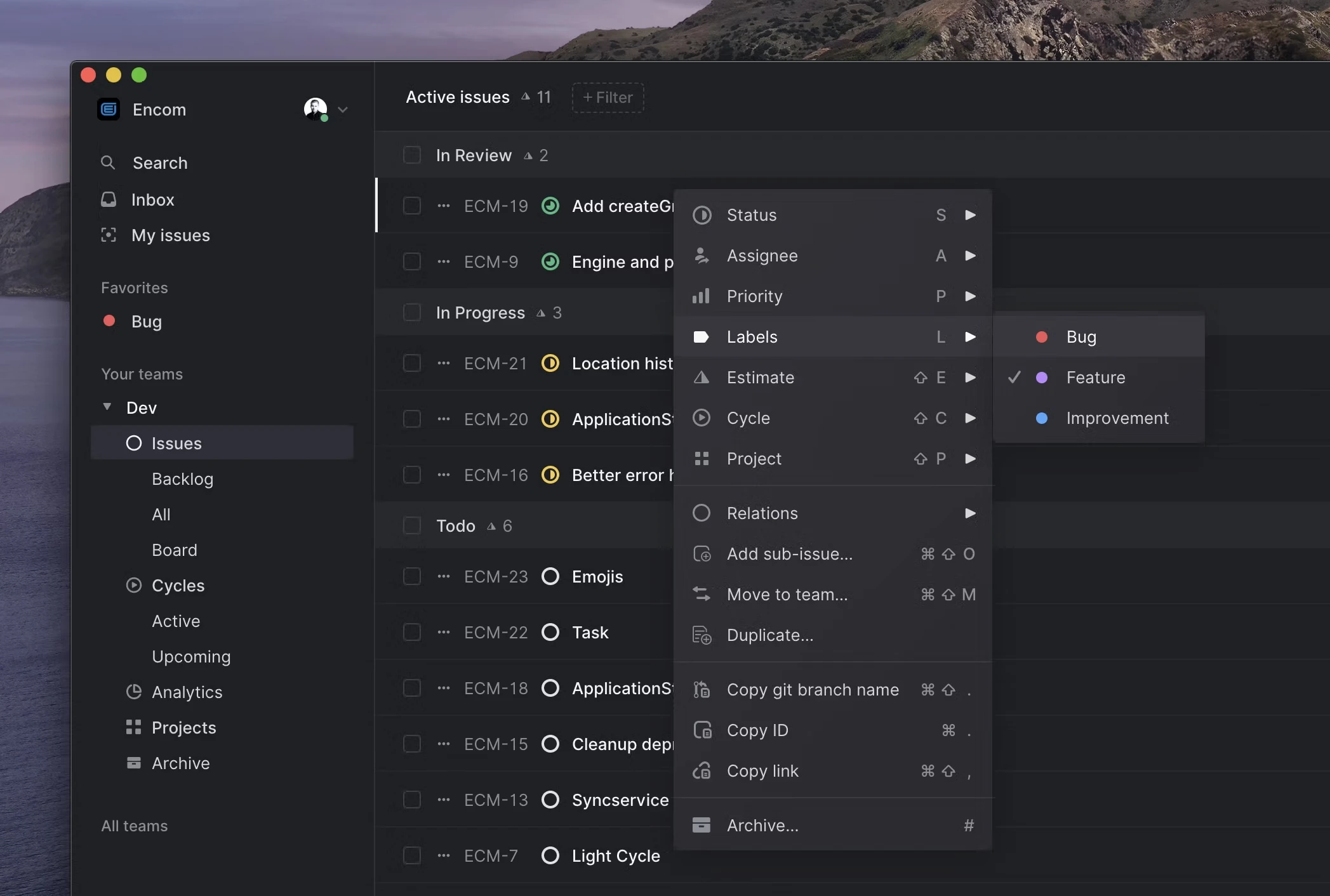
Linear is the opposite of software bloat. Rather than trying to be everything for everyone, it focuses on delivering an exceptionally fast and polished issue-tracking experience for product, engineering, and design teams.
If your frustration with Monday.com is not missing features but too many layers, too much setup, and too much friction, Linear can feel like a complete reset. It helps teams move faster by removing almost everything that gets in the way.
Core Features
- Keyboard-first interaction: Nearly every action can be completed through shortcuts and command palettes, which dramatically speeds up everyday work.
- Automated cycle management: Linear's cycles help teams maintain cadence without the overhead of constant manual sprint reconfiguration.
- Powerful roadmaps: The product connects day-to-day issues to longer-term planning in a clean, readable way.
- Reliable sync and offline support: It stays fast even with poor connectivity.
Pros
- Minimal management overhead: The product gently pushes teams toward better habits through its design.
- Exceptional speed and focus: Few tools feel as responsive as Linear.
Pricing: Free plan available. Basic is $10/user/month, and Business is $16/user/month.
4. Airtable
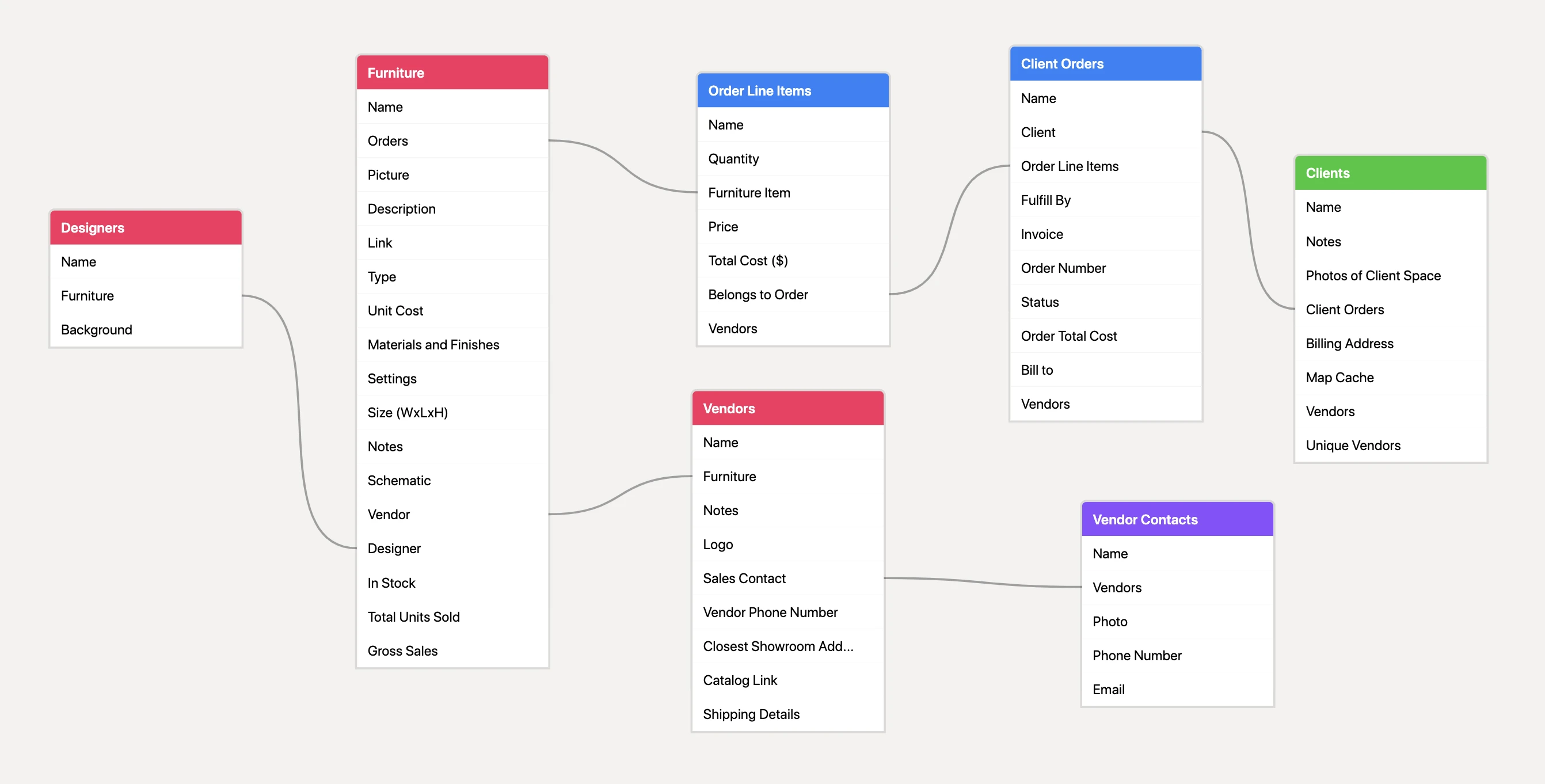
Airtable is what you get when a spreadsheet evolves into a relational operating system. For teams that used Monday.com heavily for table-based workflows and now want deeper logic, stronger linking, and more customizable internal tools, Airtable is a major step up.
Core Features
- Relational database core: Teams can connect records across tables, run rollups, and build workflows with significantly more structure than Monday's lighter data model.
- Interface designer: Different stakeholders can interact with the same data through tailored views.
- Powerful automation: Airtable integrates with tools such as Slack, GitHub, and Salesforce to trigger downstream actions from data changes.
- Rich view modes: Grid, calendar, Kanban, gallery, and form views all help teams present the same data differently.
Pros
- Excellent data logic: Airtable is ideal when work depends on linked records and repeatable business rules.
- Flexible no-code system building: It is strong for CRMs, content ops, inventory systems, and internal apps.
Pricing: Free plan available. Team is $20/user/month, and Business is $45/user/month.
5. Wrike
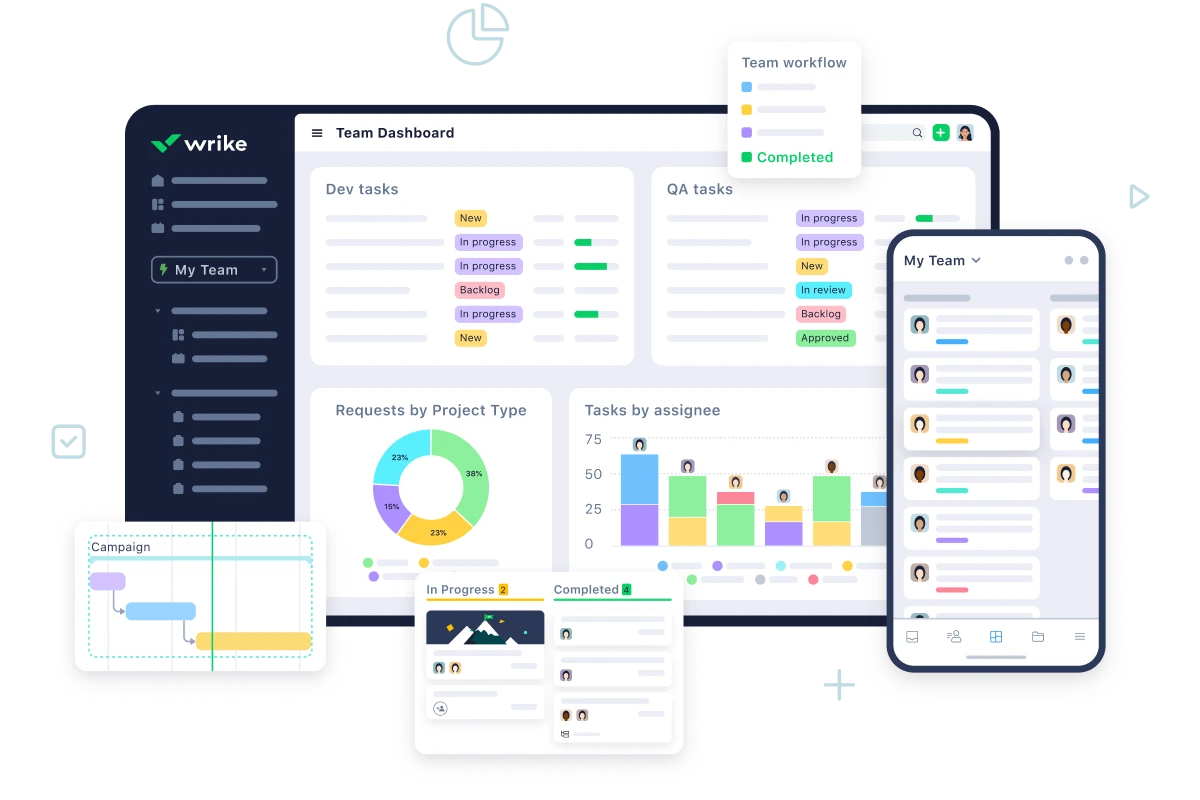
Wrike is built for scale, control, and oversight. It is less playful than Monday.com and less lightweight than Trello, but that is exactly why some organizations prefer it. Large agencies, enterprise teams, and compliance-heavy environments often need its level of structure.
Core Features
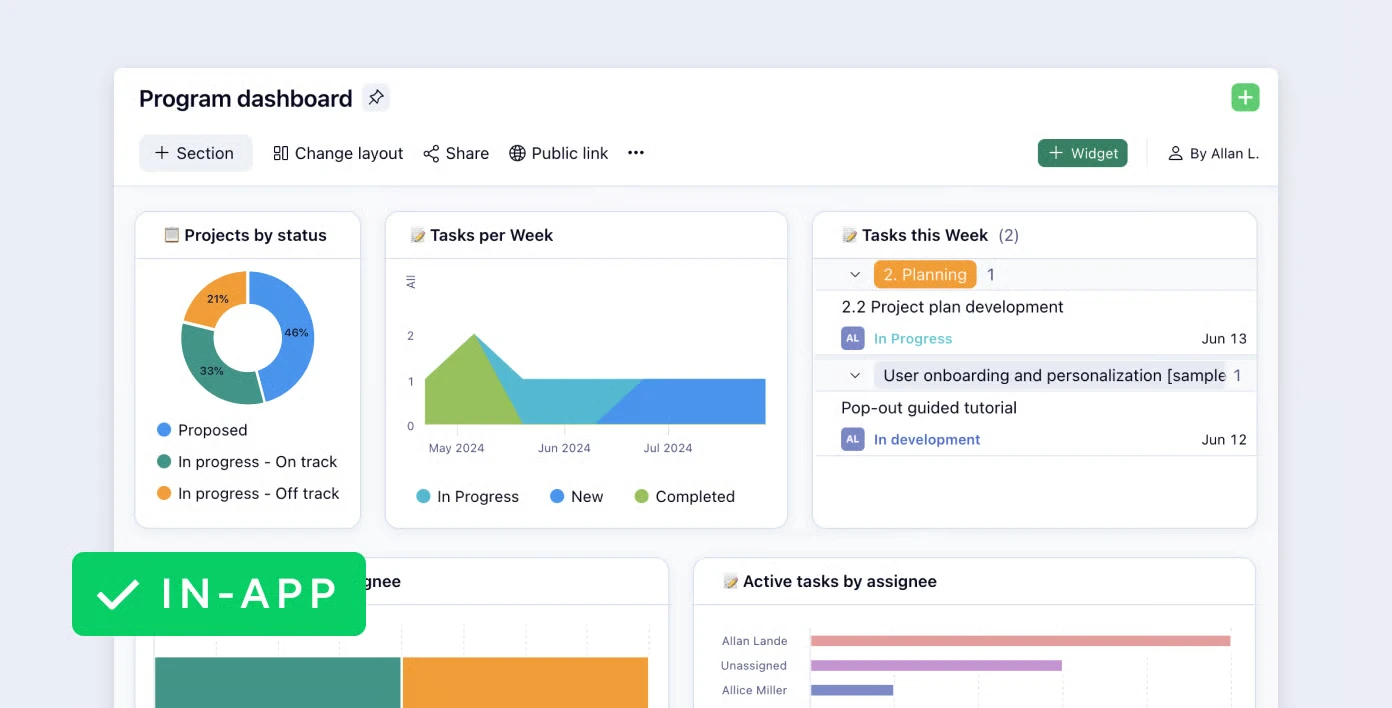
- Three-pane layout for heavy project volume: Wrike helps users manage large project portfolios without losing orientation.
- Dynamic resource management: Managers can monitor team bandwidth and rebalance work in real time.
- Built-in proofing tools: Teams can annotate files, PDFs, and creative assets directly in the platform.
- Critical path and dependency analysis: Wrike surfaces bottlenecks before delays spread across the plan.
Pros
- Professional project control: It is especially strong for operationally complex work.
- Security and compliance readiness: Enterprises that need governance often find Wrike easier to justify than lighter tools.
Pricing: Free plan available. Team is $10/user/month, and Business is $25/user/month.
6. Smartsheet
Smartsheet is often described as spreadsheet-based project management, but that undersells it. Its real advantage is that it gives spreadsheet-native organizations a way to modernize collaboration without forcing everyone to abandon the interface they already trust.
Core Features
- Advanced grid view: Smartsheet preserves familiar spreadsheet behavior while adding attachments, permissions, and cross-sheet relationships.
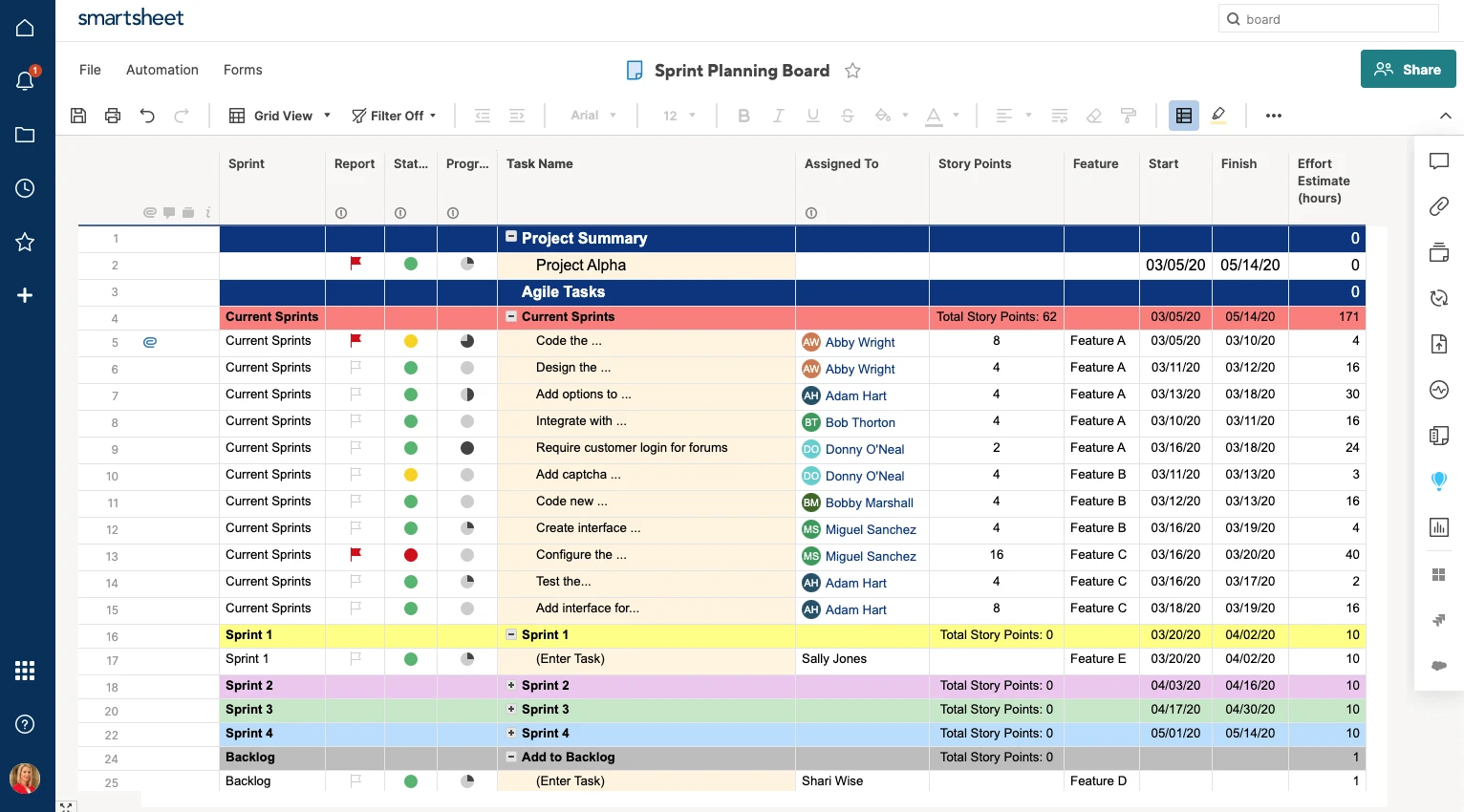
- Control Center: Large portfolios can roll progress from many projects into centralized views.
- Visual briefing tools: Teams can convert dense sheet data into business-ready reports.
- Enterprise security: It is especially attractive to regulated industries.
Pros
- Minimal learning curve for spreadsheet-heavy teams
- Strong reliability for data-centric operations
Pricing: Pro is $9/user/month, and Business is $19/user/month.
7. Basecamp
Basecamp represents a very different philosophy from Monday.com. It is not trying to maximize dashboards, automations, or visual complexity. Instead, it aims to reduce noise and help teams work more calmly through asynchronous communication.
For remote teams overwhelmed by endless notifications and fragmented updates, that design philosophy feels even more valuable in 2026.
Core Features
- Message boards for long-form discussion: Teams can communicate with more depth and less distraction than in chat-heavy environments.
- Automatic check-ins: Scheduled prompts replace many low-value status meetings.
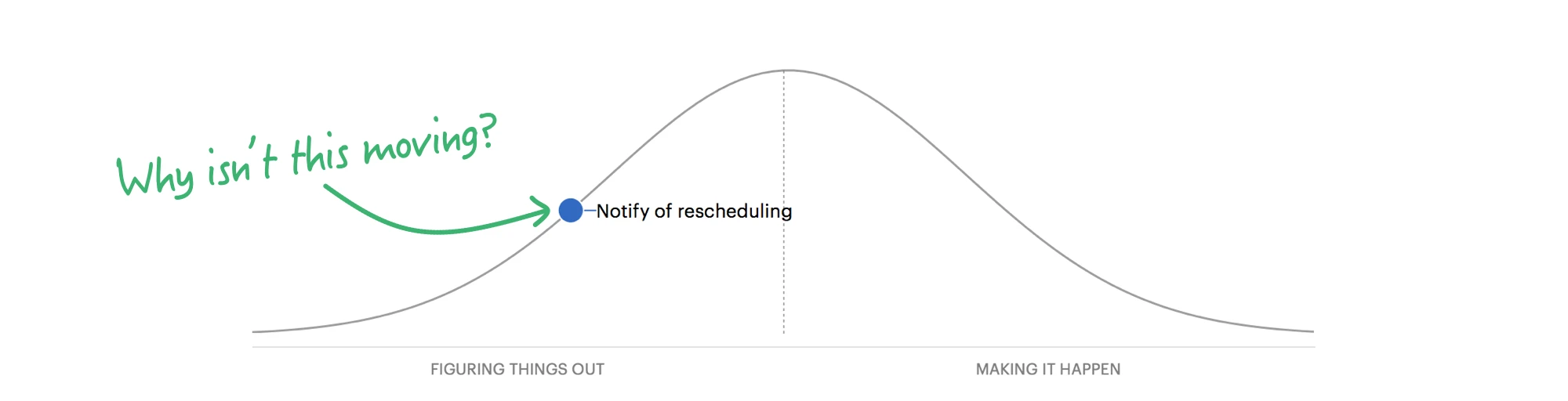
- Hill Charts: Basecamp tracks whether work has moved from discovery into execution instead of pretending progress is always linear.
- Fixed project structure: Every project ships with the same predictable collaboration toolkit.
Pros
- Calmer collaboration model: It supports focus better than many notification-first tools.
- Simple mental model: Teams can adopt it quickly.
Pricing: Free plan available for limited use. Plus is $15/user/month.
8. Asana
Asana remains one of the most balanced products in the category. It combines structured task management, workflow logic, and strategic planning in a way that makes it especially useful for medium to large organizations.
Core Features
- Visual workflow builder: Teams can map intake, approval, handoff, and delivery workflows in a more structured way than with basic task lists.
- Strategic goals alignment: Asana helps connect day-to-day work to higher-level company goals and OKRs.
- Multi-homing: One task can live in several project views at once without breaking synchronization.
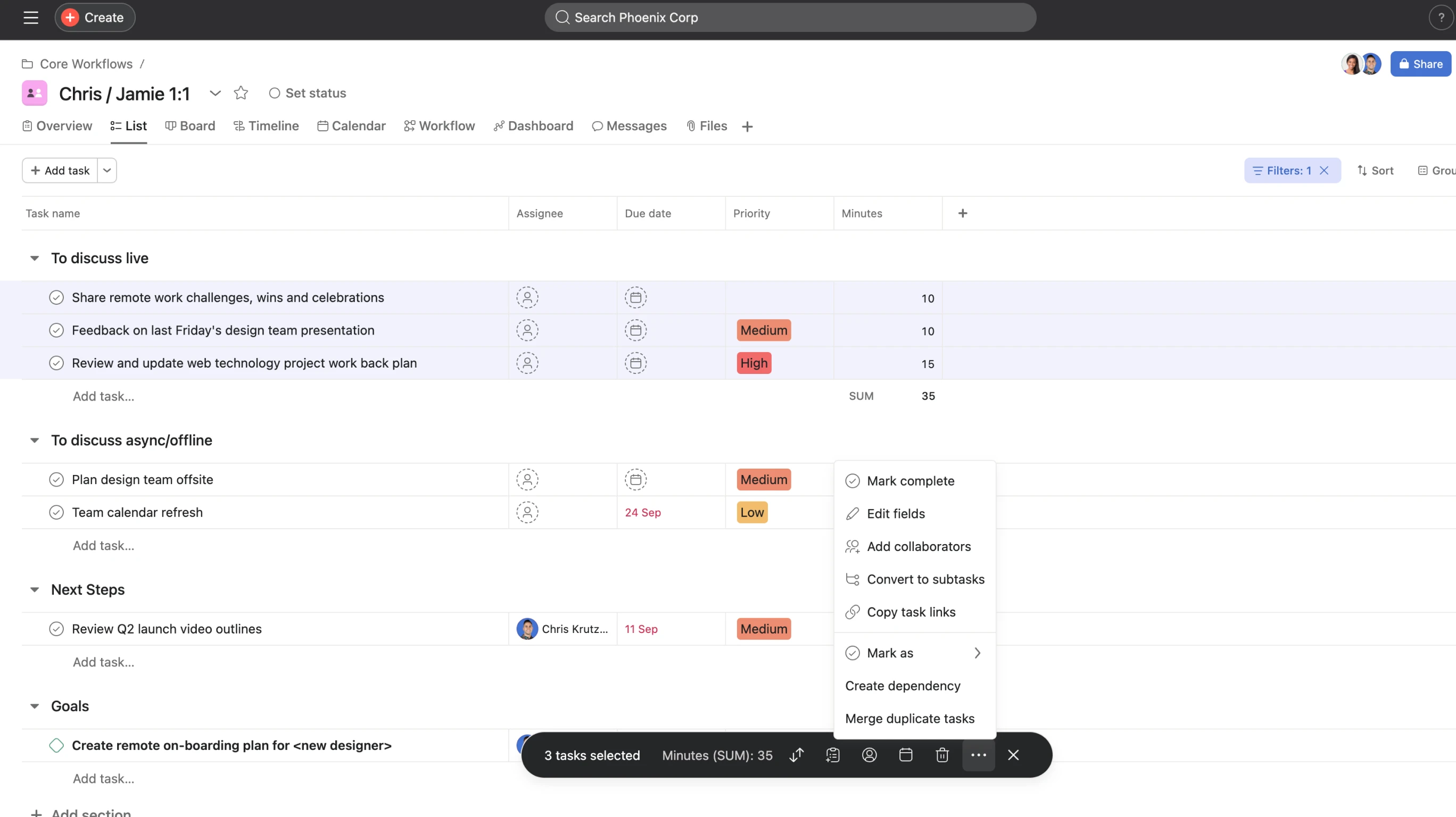
- Intelligent workload views: Managers can see capacity and reduce burnout risk earlier.
Pros
- Strong process logic: Asana works well for cross-functional organizations that need clarity and repeatability.
- Excellent cross-project coordination
Pricing: Personal is free. Starter is $10.99/user/month, and Advanced is $24.99/user/month.
9. Trello
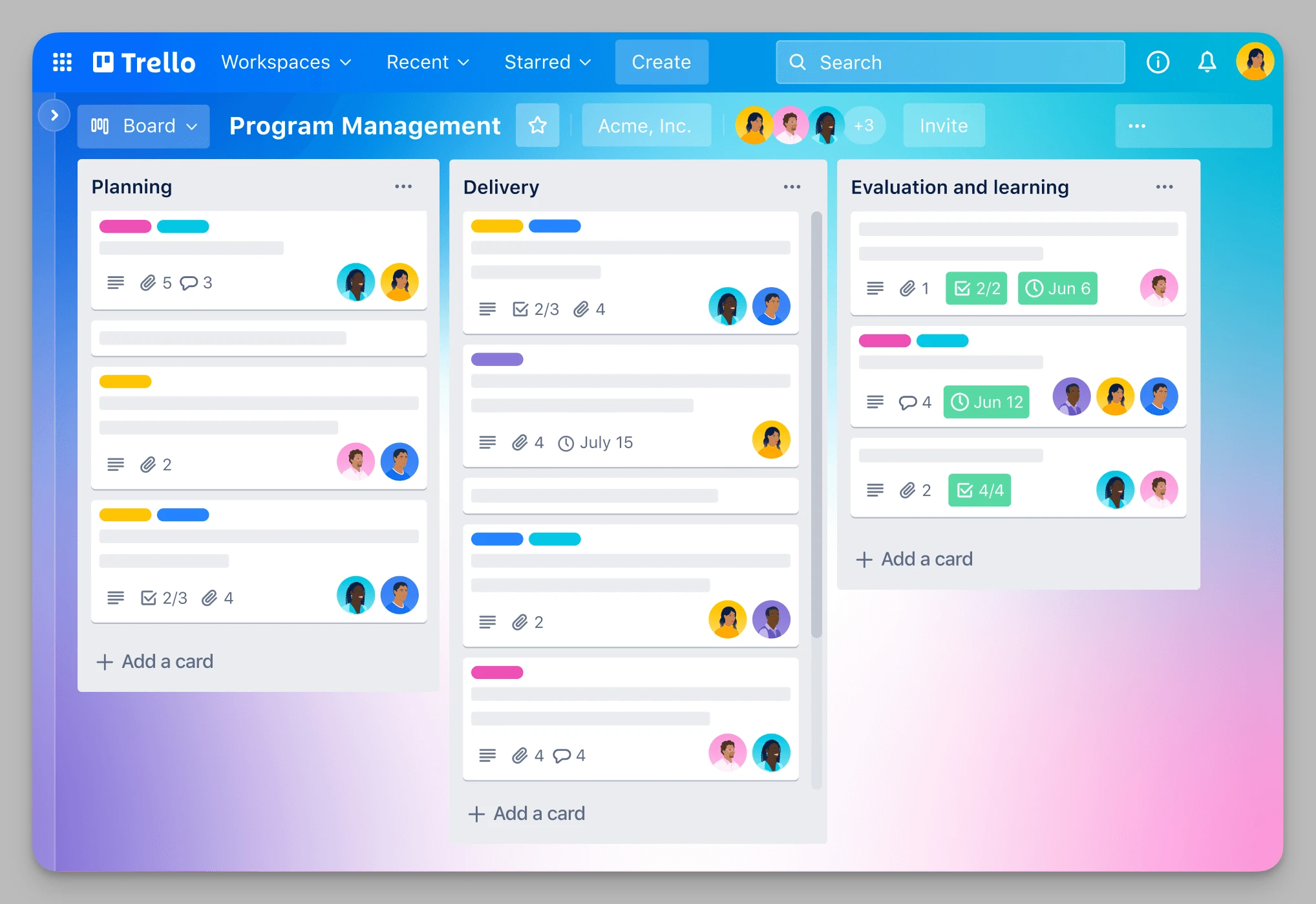
Trello remains relevant because simplicity never stops being useful. While many teams graduate to more advanced systems, others realize they were never trying to manage a complex operating system in the first place. They just needed a clean board that everyone could understand immediately.
Core Features
- Pure Kanban workflow: Dragging cards between columns is still one of the clearest task-management interfaces ever made.
- Butler automation: Teams can automate recurring actions without writing code.
- Visual customization: Covers, labels, and simple layouts make boards engaging and easy to scan.
- Power-Ups ecosystem: Trello connects to a wide range of external tools.
Pros
- Almost zero learning curve
- Ideal for smaller, faster-moving teams or campaigns
Pricing: Free plan available. Standard is $5/user/month, and Premium is $10/user/month.
10. Notion
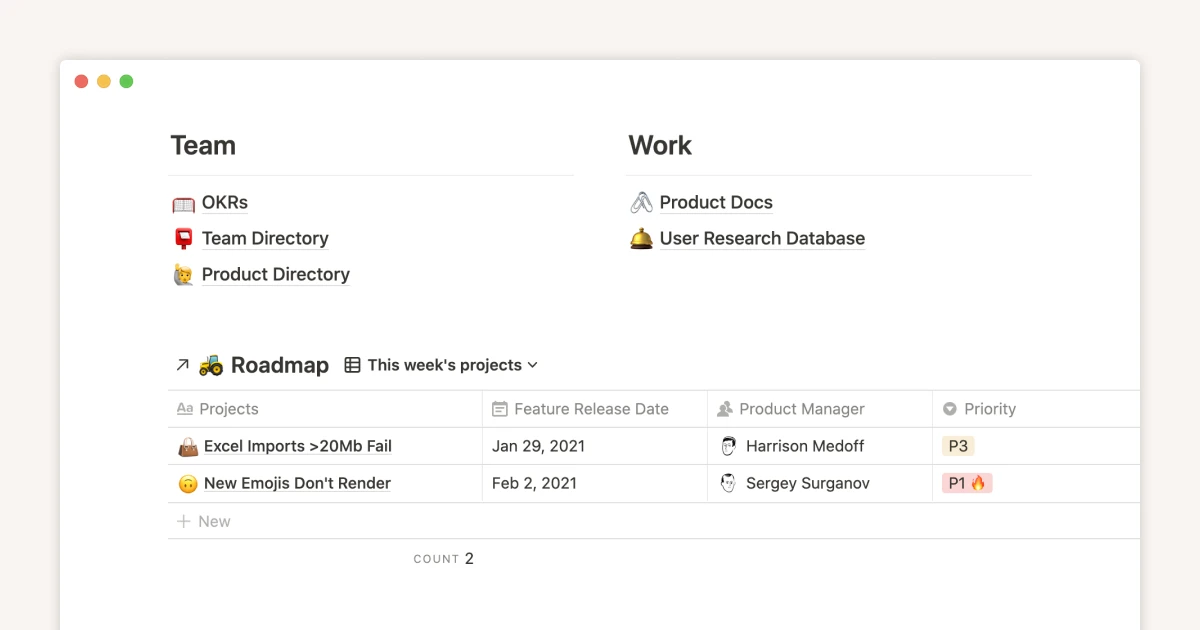
Notion is not the best pure task-management platform on this list, but it remains one of the most important collaboration tools because of the ecosystem around it. Teams that leave Monday.com often do so because they want stronger documentation, more flexible internal wikis, or a broader template economy. That is where Notion still shines.
Core Features
- Everything is a block: Text, images, databases, embeds, and code blocks can all live in one flexible page system.
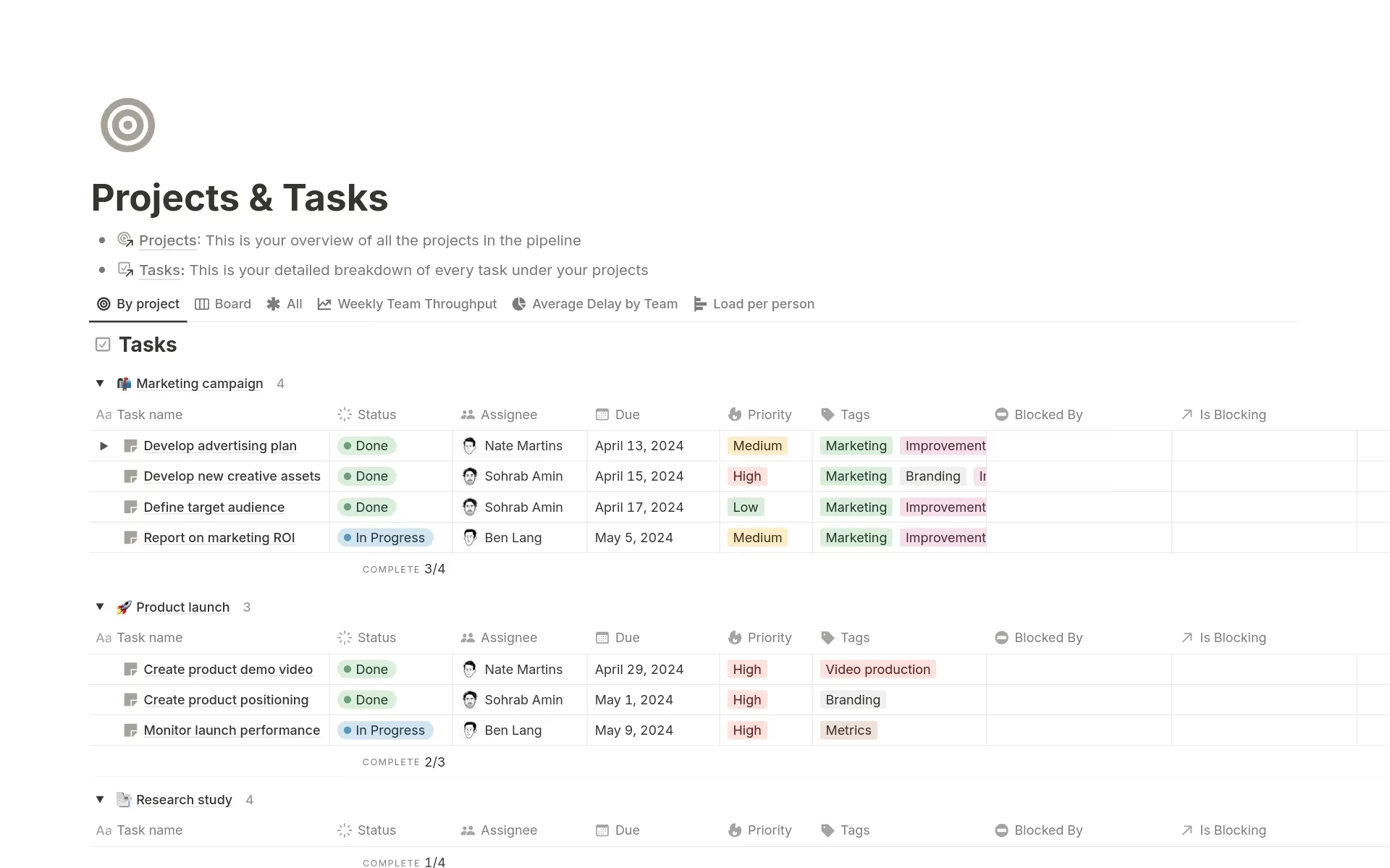
- Powerful database linking: Teams can build surprisingly sophisticated internal knowledge systems with filtered views and linked records.
- Notion AI support: AI features help polish documents and summarize information.
- Massive template ecosystem: Notion's community remains a huge advantage for teams that want a fast starting point.
Pros
- Very high flexibility
- Industry-leading wiki and knowledge organization capabilities
Pricing: Free plan available. Plus is $10/user/month.
Quick Comparison Table
| Tool Name | Core Positioning | Solves Which Monday.com Pain Point? | Pricing Reference |
|---|---|---|---|
| Buildin | Knowledge hub + project collaboration + monetization | Stronger documentation, deeper knowledge management, private deployment, and monetization | Free / Plus $10 / Business $15 |
| ClickUp | All-in-one project management | More features and deeper hierarchy | Free / Unlimited $7 / Business $12 |
| Linear | High-speed product execution | Less friction, faster interaction, lower management overhead | Free / Basic $10 / Business $16 |
| Airtable | Database-driven collaboration | Better linked data and business logic | Free / Team $20 / Business $45 |
| Wrike | Enterprise-scale project control | Stronger resource planning and approvals | Free / Team $10 / Business $25 |
| Smartsheet | Spreadsheet-based collaboration | Easier migration for Excel-heavy teams | Pro $9 / Business $19 |
| Basecamp | Asynchronous team communication | Less notification fatigue and calmer workflows | Free / Plus $15 |
| Asana | Structured task and goals management | Better process logic and strategic alignment | Personal $0 / Starter $10.99 / Advanced $24.99 |
| Trello | Lightweight Kanban | Simpler setup and faster adoption | Free / Standard $5 / Premium $10 |
| Notion | Documentation and knowledge management | Better internal wiki and template ecosystem | Free / Plus $10 |
Summary Recommendations
- Choose Buildin if you want an all-in-one workspace that combines project execution, deep documentation, AI knowledge retrieval, and content monetization.
- Choose Linear if your team is product- or engineering-heavy and values speed, clarity, and minimal process friction.
- Choose Basecamp if your biggest problem is team noise and you want a calmer communication model.
- Choose Airtable if your workflows depend on complex relational data and custom internal systems.
Final Thoughts
Switching away from Monday.com is not just a tooling decision. It is a decision about how your team wants to operate. Some teams need more structure. Some need more flexibility. Some need better documentation. Some simply need a quieter, faster, or more affordable place to work.
The best Monday.com alternative is the one that matches your team's real bottlenecks. If that bottleneck is the gap between tasks and knowledge, Buildin is the most compelling option on this list. If your team needs a different operating model, the tools above give you several excellent paths forward.

Amara Elara
Specializes in visualizing complex processes and improving product education. Responsible for user support, product tutorials, and visual guides at Buildin, helping users improve tool adoption and overall productivity.